



anyweb
-
Posts
9293 -
Joined
-
Last visited
-
Days Won
371
Everything posted by anyweb
-
you can capture a windows 7 image from a hyperv host or vmware and use that captured image to deploy windows 7 to your Dell Latitude or IBM Thinkpad or HP whatever, so yes... if that answers your question, but, you still need an image captured from somewhere (virtual is best) before deploying the os to anything else as deploying it from the Windows 7 dvd image would result in Windows 7 being deployed on D: instead of C:
-

Cannot see images after successfull PXE boot
anyweb replied to denisrsd17's question in Windows Deployment Services (WDS)
thanks for confirming HAL=hardware abstraction layer, different cpu technology (multiprocessor, uniprocessor) use different hals, as you had a different hal it didn't show the image good work -
running the sysprep setup program (can't remember what it\s called but its in the sysprep package download referred to above) will create the SIF file for you, the sif file contains the data needed to automate windows installation
-
Unintstall office pro and deploy office standard
anyweb replied to paddy's question in Deploy software, applications and drivers
hi Paddy, did you see this post ? -
nice work
-
here's a cool CD set from Johan, the MVP deployment guru, see below cheers niall This second Deployment CD has the following detailed Step-by-step Guides and Video Tutorials: MDT 2010 Lite Touch Deployments (deployment without ConfigMgr 2007 SP2 R2, just the free tools) - LTI01 - Installing the server for MDT 2010 Lite Touch - LTI02 - Creating a Windows 7 reference image using Lite Touch - LTI03 - Deploying a Windows 7 image using Lite Touch - LTI04 - Dynamic Settings, creating and using the deployment database MDT 2010 Zero Touch Deployments (deployment with ConfigMgr 2007 SP2 R2) - ZTI01 - Installing the server for MDT 2010 Zero Touch and ConfigMgr 2007 SP2 - ZTI02 - Creating a Windows 7 reference image using ConfigMgr 2007 SP2 - ZTI03 - Deploying a Windows 7 image using ConfigMgr 2007 SP2 - ZTI04 - Dynamic Settings, creating and using the deployment database Additional Presentations - E01 - New features in MDT 2010 - E02 - Upgrading MDT 2008 to MDT 2010 - E03 - Migrating Windows XP to Windows 7 1. Please send me feedback - What's good, What's bad, What's missing, Whatever... 2. Spread the word about these guides in the community and with friends, send people to the www.deploymentcd.com site, so that they can sign up for their very own (free) copy. 3. Register for a free download at www.deploymentcd.com
-
yes the solution is to use the VLK or Volume license Edition of Windows XP, you get a VLK key for that and no need to activate at all.
-
Microsoft Deployment Toolkit 2010 Now Released
anyweb replied to anyweb's question in Microsoft Deployment Toolkit (MDT)
mdt 2010 is great for those people who do not yet have SMS or SCCM in their enterprise, it allows administrators to image pcs with applications and drivers using task sequences, SCCM on the other hand does all this and a whole lot more, think of the SCCM end as the management interface for your pcs, mdt is a toolkit and nothing more. -
first things first, what os are you planning on deploying and what os are you migrating from ? ie: is it XP to 7 or ?
-
Two WDS Servers in the same network
anyweb replied to sknight's question in Windows Deployment Services (WDS)
are they in the same subnet ? or different ? did you know that you can use the F11 trick for selecting the PXE boot server you want to use -
well to rule out any beta problems can you please install the sp2 RTM upgrade and test again, i've even prepared a guide for doing that right here http://www.windows-noob.com/forums/index.php?/topic/1360-updating-sccm-2007-sp2-rc-or-beta-to-sp2-final/ cheers niall
-
How to use software update point, during OS deployment
anyweb replied to jeaostro's question in Software Update Point
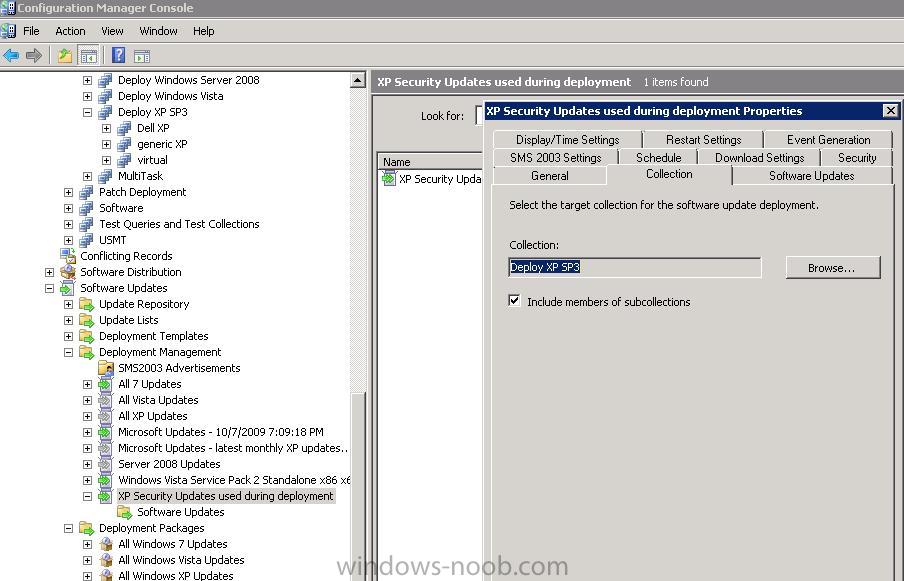
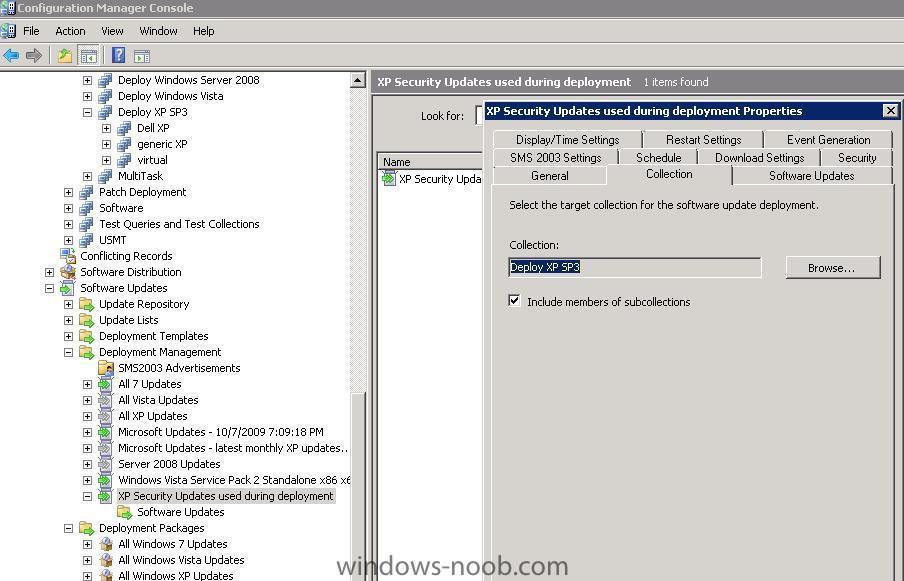
when deploying updates within a OSD I create a Deployment Management task for just that purpose, with for example Windows XP updates, I also name the deployment management task to be descriptive of what it's doing I then target that deployment management task to a collection used for deployments look at this screenshot for ideas in addition to this I advertise another Deployment Management Task to the Unknown Computers collection, this way if my target pc is unknown at any point during the image installation process it'll be taken care of when the Install Software Updates task is in progress so all in all, that is two Deployment Management Tasks -
updates used during deployments
-
what bios version have you got on that Dell ? maybe it needs an upgraded bios for Windows 7
-
Updating SCCM 2007 SP2 RC (or beta) to SP2 Final
anyweb replied to anyweb's topic in Configuration Manager 2007
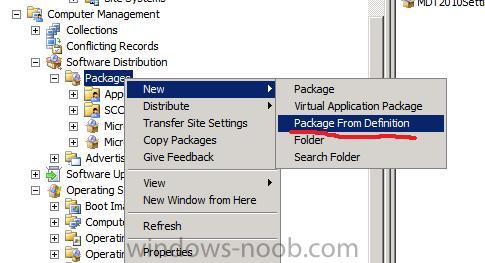
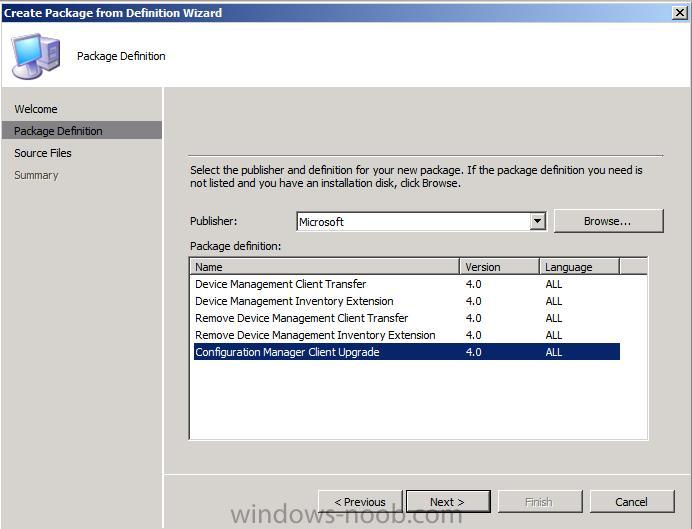
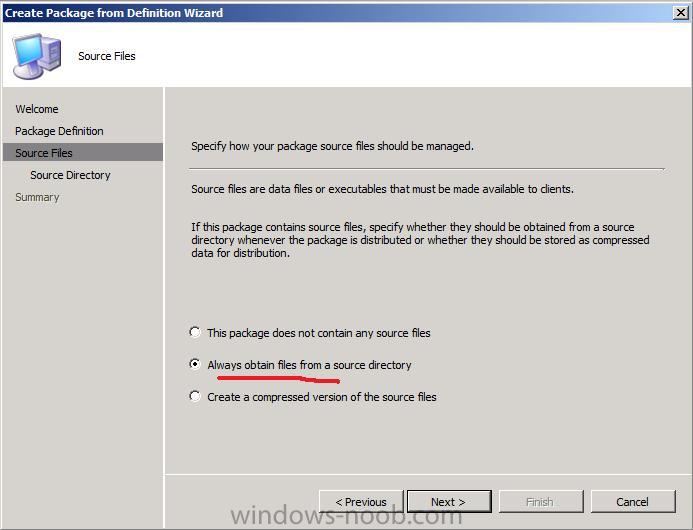
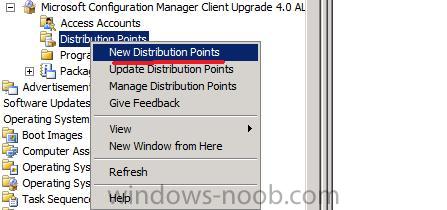
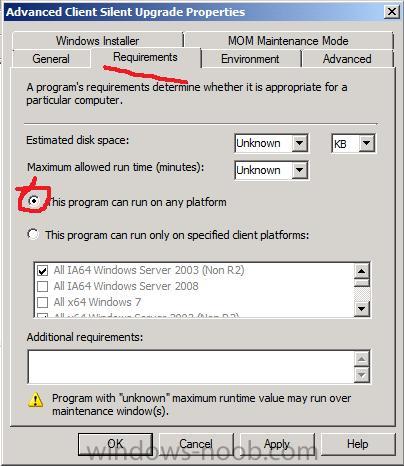
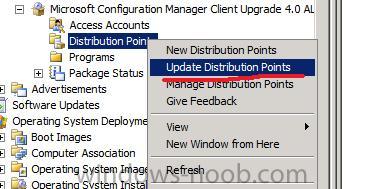
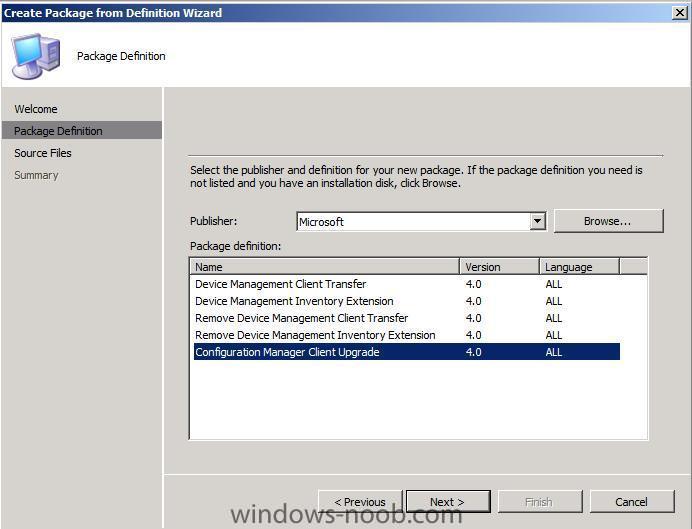
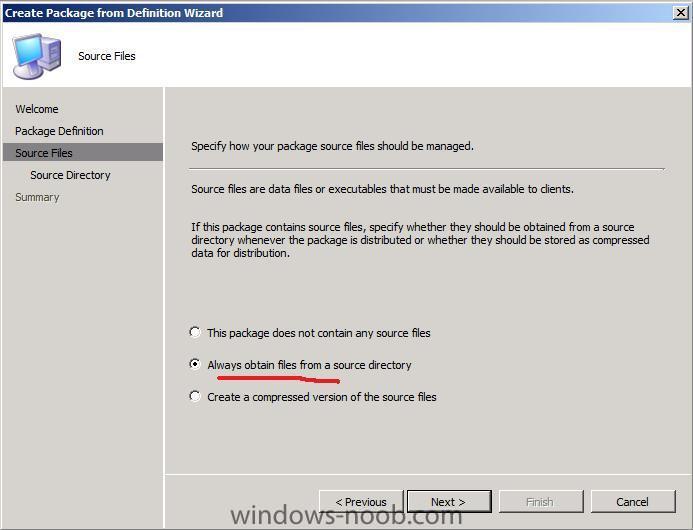
Create new Package from Definition In ConfigMgr, expand the Software Distribution node and right click, choose New, Package from Definition Choose the Configuration Manager Client Upgrade option choose Always obtain files from a source directory point to your client source eg: \\SERVER\sms_xxx\client where xxx is the site code, and choose finish Expand the newly created package, and click on Programs, select the Advanced client and right click, choose Properties. click on the Requirements tab, and select this program can run on any platform and click Apply Right click on distribution points and select New, go through the wizard when done, update your client to the same Distribution points Final Actions after the Upgrade * You need to update your Client versions to the new SP2 ConfigMgr Client. * You may need to add network drivers back to your boot images otherwise network boot (which worked before the ugprade) may fail with the following error PXE-T01: File Not Found PXE-E3B: TFTP Error - File Not found. SP2 tips and gotchas * The Configuration Manager Service Pack Install Guide * SCCM SP2 Upgrade Gotchas and Tips * The SP2 Upgrade may take a lot of time especially if your Database is large * How to create a custom boot image after the SP2 upgrade * Upgrade the ConfigMgr consoles from SP1 to SP2 otherwise they will not work properly (advertisements missing etc) * hotfix for "Number of retries" and "Delay before retrying (minutes)" retry settings * SCCM 2007, ready to load SP2 and have some questions. .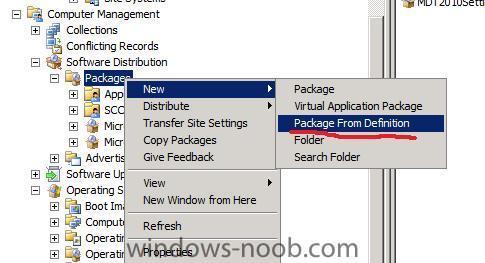
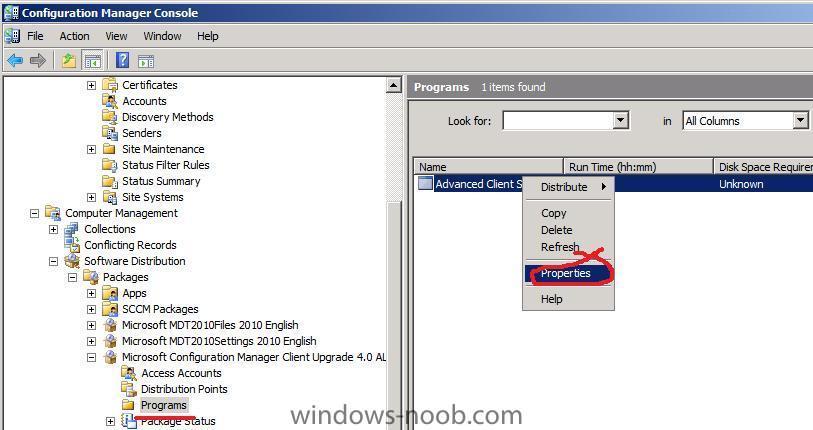
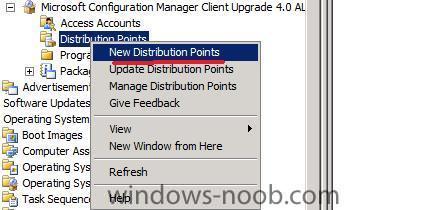
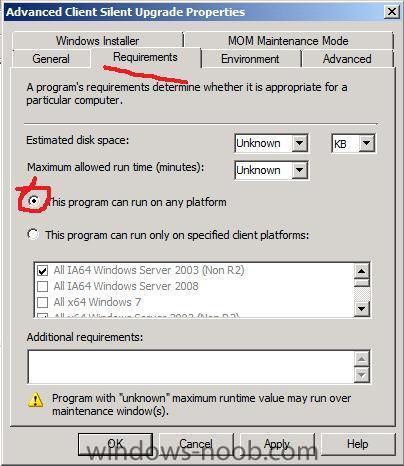
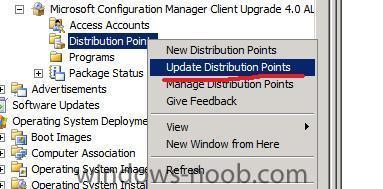
-
Updating SCCM 2007 SP2 RC (or beta) to SP2 Final
anyweb replied to anyweb's topic in Configuration Manager 2007
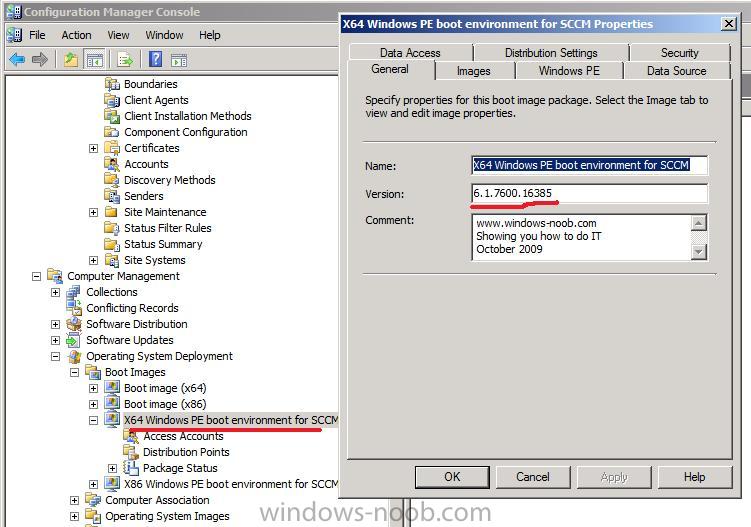
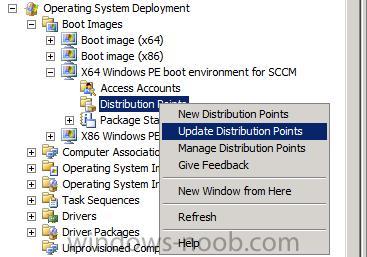
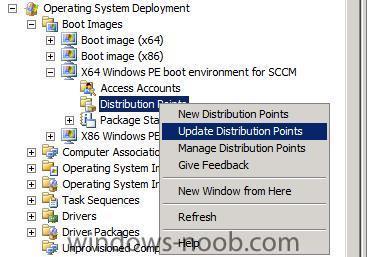
Verify your boot images In ConfigMgr expand the Operating System Deployment node, boot images, select your X64 boot image and review it's properties, the version should read 6.1.7600.16385 once verified, you should update your Distribution Points with a copy of that boot image Now that you are done, do the same with your X86 boot image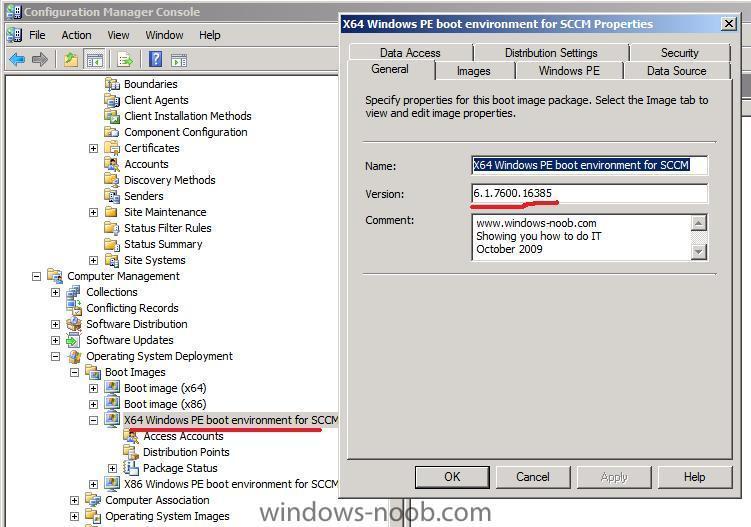
-
Updating SCCM 2007 SP2 RC (or beta) to SP2 Final
anyweb replied to anyweb's topic in Configuration Manager 2007
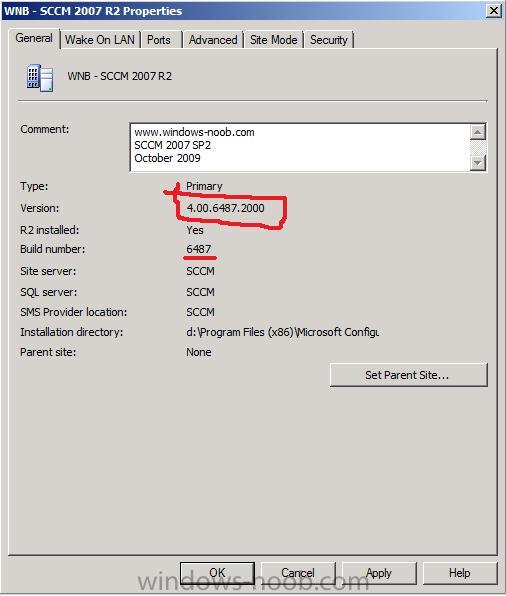
Verify the new version Now that the installation of SP2 is complete, start ConfigMgr and look at the version number. The new version number should be 4.00.6487.2000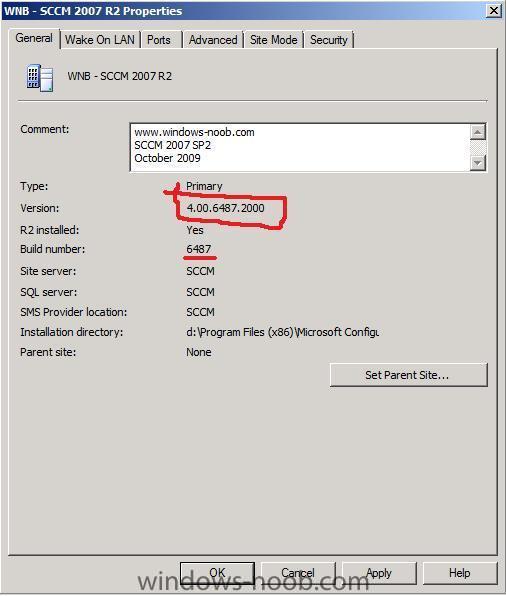
-
Updating SCCM 2007 SP2 RC (or beta) to SP2 Final
anyweb replied to anyweb's topic in Configuration Manager 2007
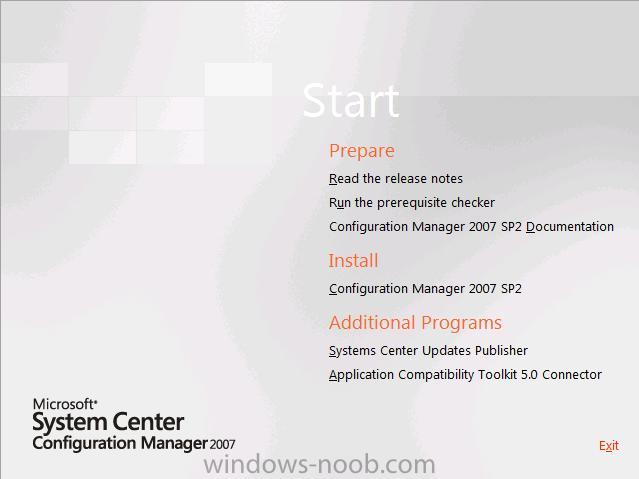
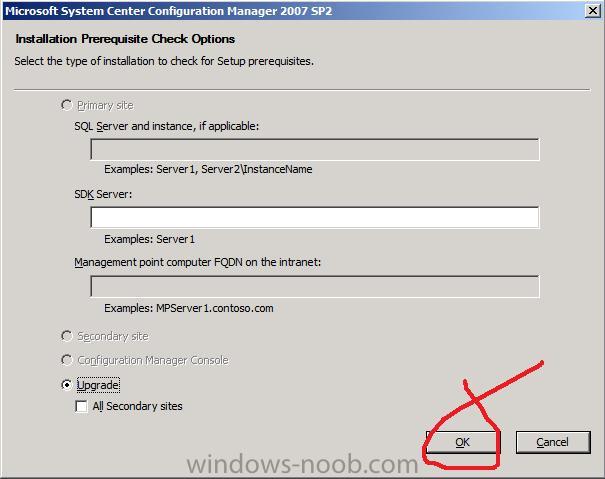
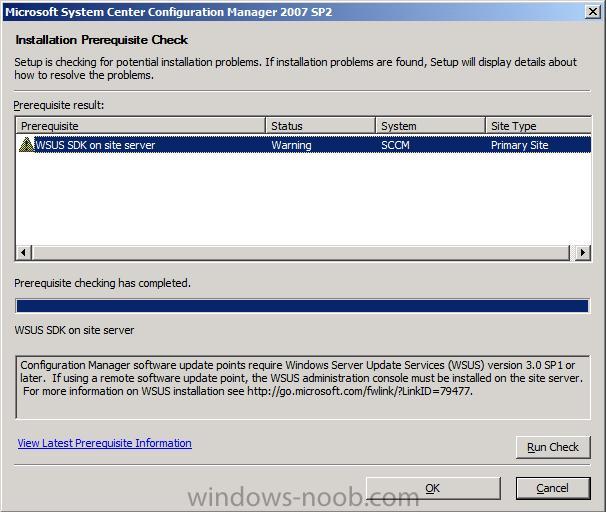
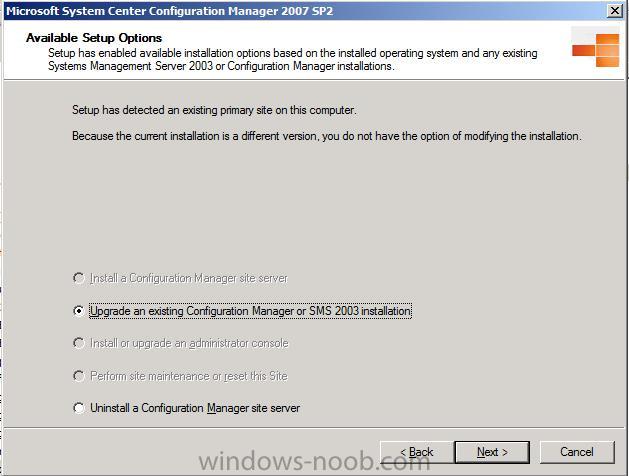
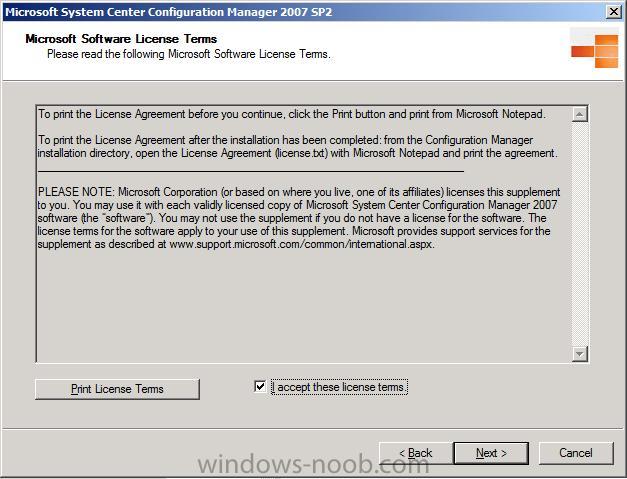
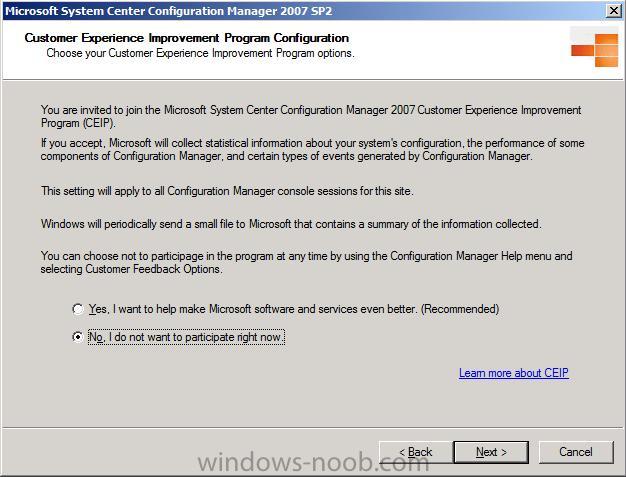
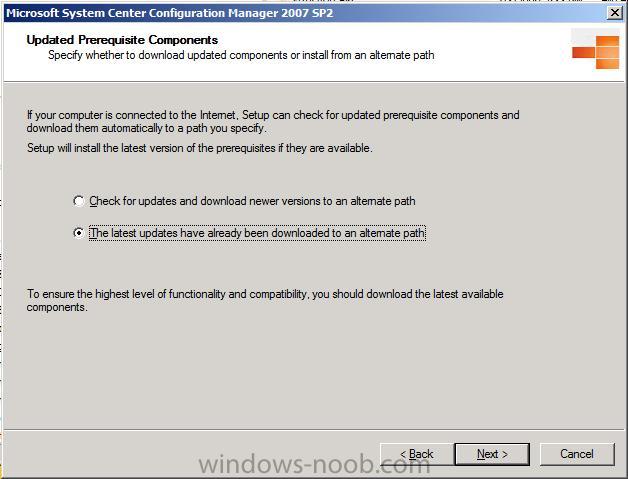
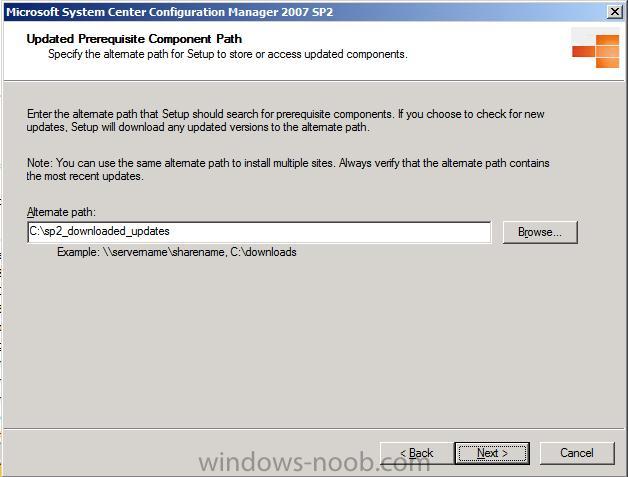
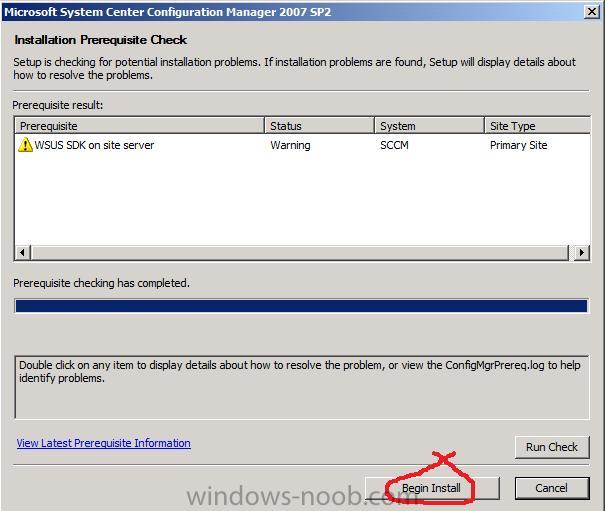
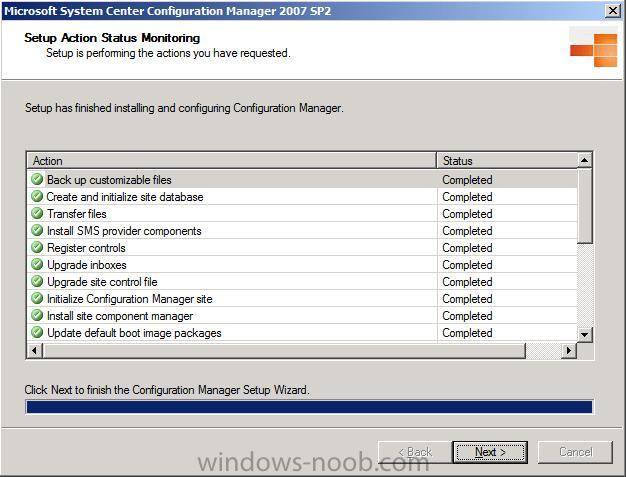
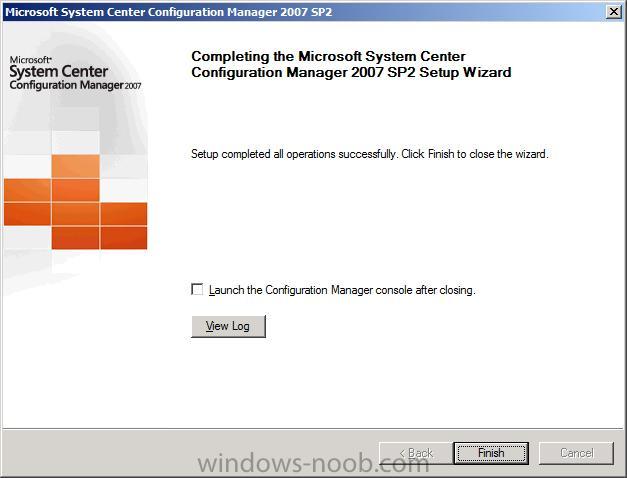
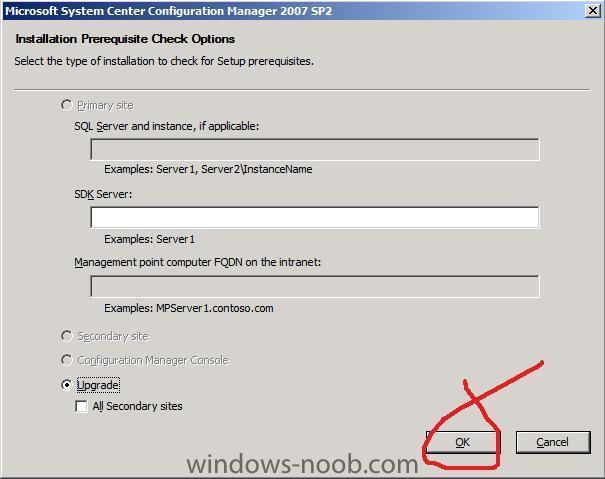
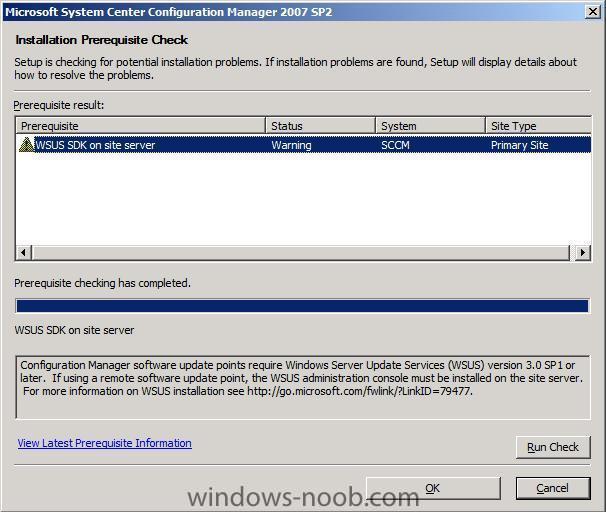
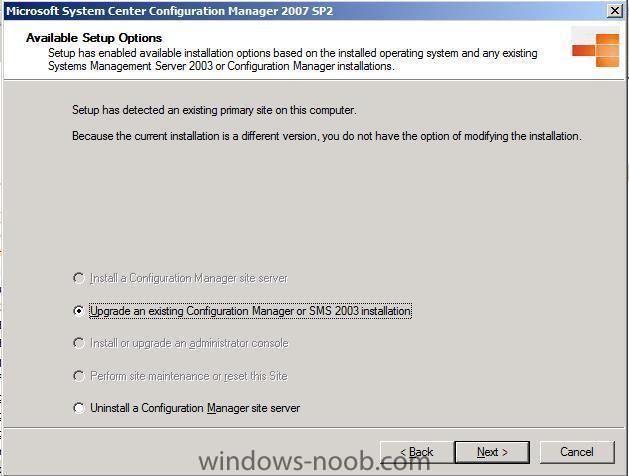
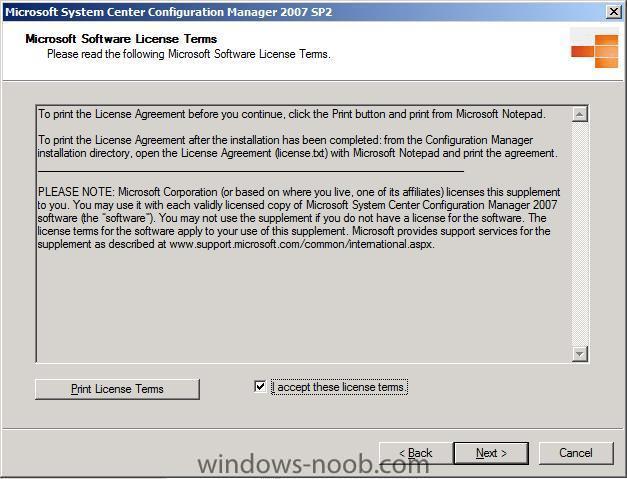
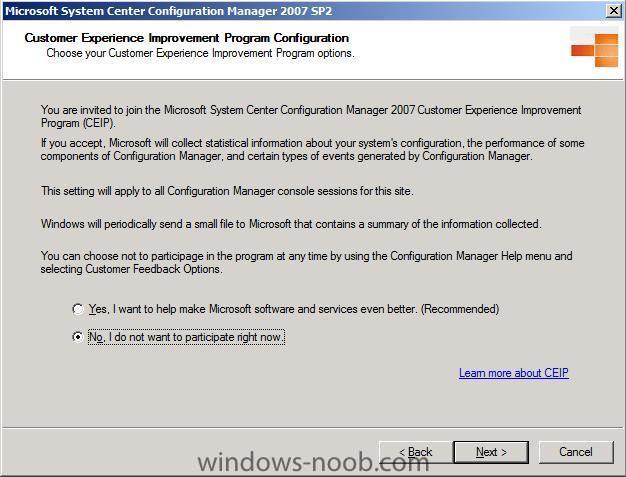
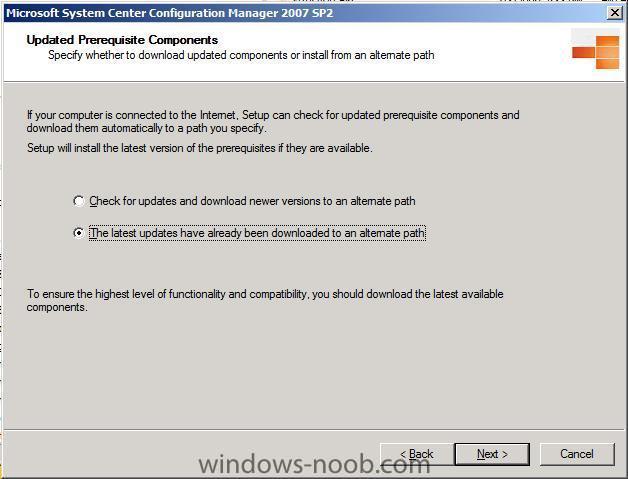
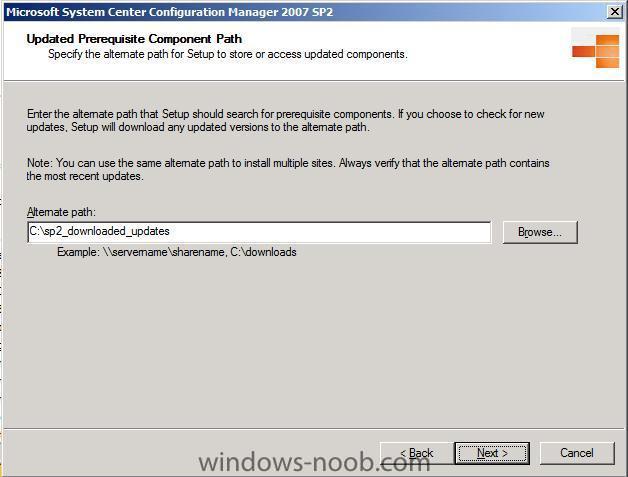
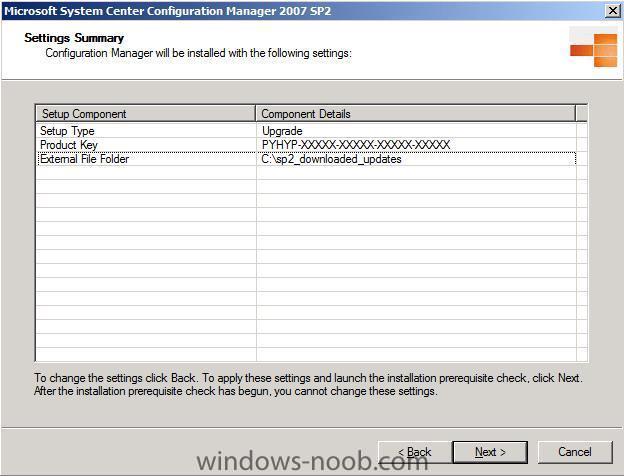
Install the Upgrade Double click on Splash.HTA in the newly extracted folder Run the PreRequisite checker click continue to the UAC prompt I'm not running a SUP on this server so we can safely ignore the WSUS warning click OK and run the Splash.hta file again, this time select to Install the Configuration Manager SP2 option when the wizard appears click next choose Upgrade an Existing... accept the EULA decide your CEIP settings next choose to download the updates from the internet or if you have no internet connection on that server point to where you have downloaded the updates in advance specify the path to the updates and click next you should see a summary of the upgrade, click next to begin the PreRequisite checker will run again, as long as there are no show stoppers click Begin Install after a long while the upgrade will be complete, make sure to scroll down to verify that all parts are marked as Completed and ok click Next to complete the process and you can choose to view the upgrade log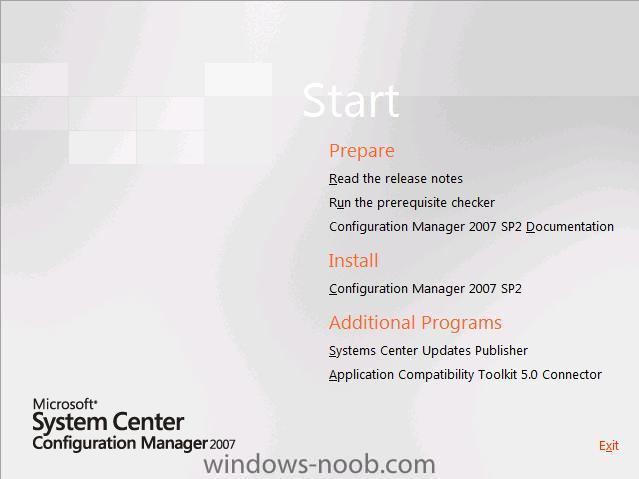


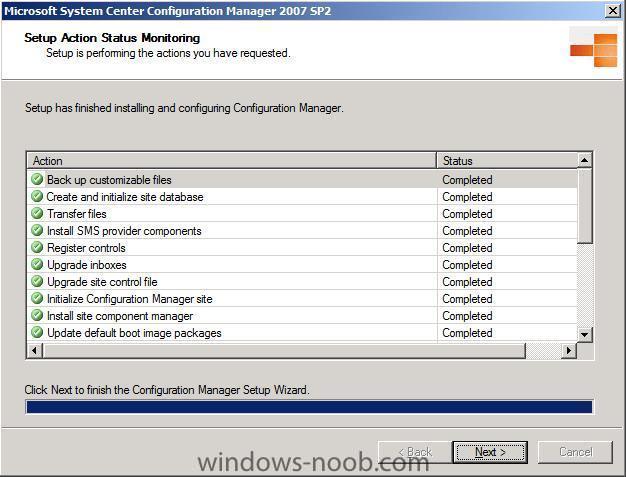
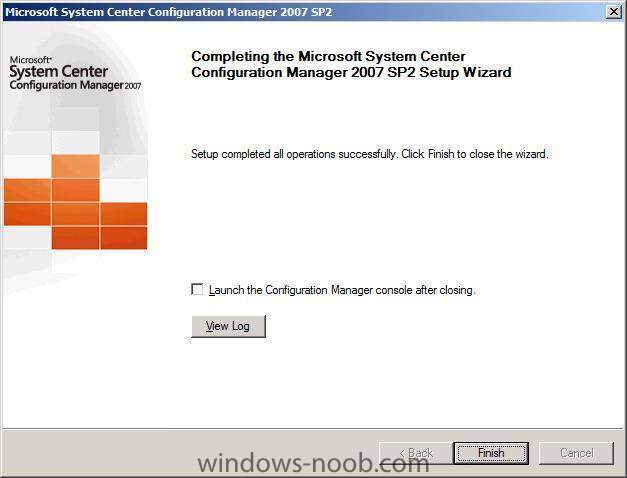
-
Updating SCCM 2007 SP2 RC (or beta) to SP2 Final
anyweb replied to anyweb's topic in Configuration Manager 2007
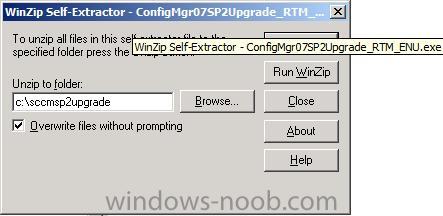
Extract the SP2 Upgrade files First of all, download the SP2 file from here There are two versions: Full install (Note, this is a 180 day Eval) Upgrade Install (Use this one to upgrade SCCM 2007 Sp1 to Sp2) After the reboot double click on our ConfigMgr07SP2Upgrade_RTM_ENU.exe file You will be prompted to unzip the file to a folder, so give it a folder to unzip to eg: c:\sccmsp2upgrade Once unzipped, now would be a good time to read the ReadMe particularly to highlight the Known Issues. as I am running the X64 edition of Server 2008 I need to first check if I need to install the hotfix mentioned above and it seems the the hotfix is included in SP2 for Server 2008.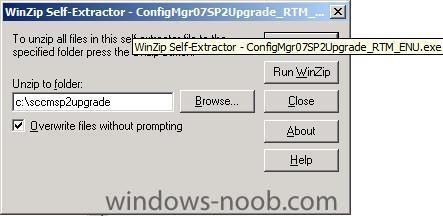
-
Updating SCCM 2007 SP2 RC (or beta) to SP2 Final
anyweb replied to anyweb's topic in Configuration Manager 2007
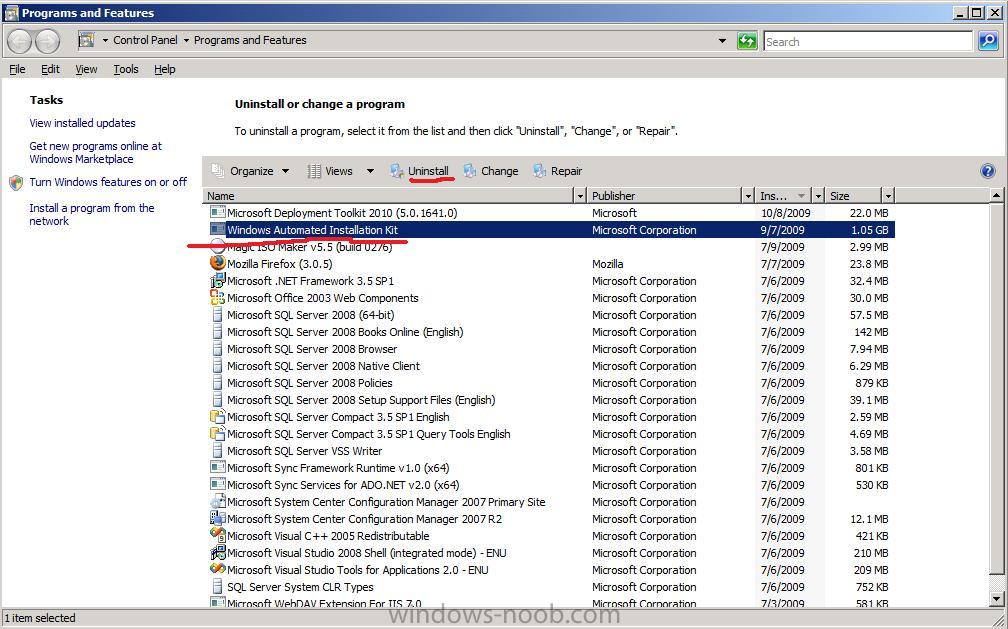
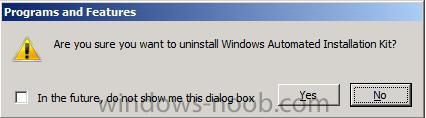
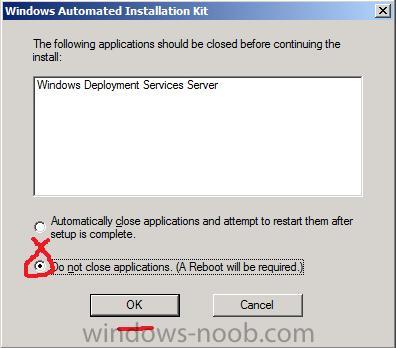
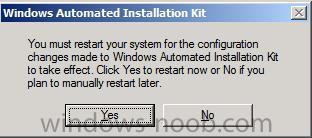
Uninstall WAIK Close ConfigMgr and open up Control Panel, Programs And Features. highlight Windows Automated Installation Kit and choose Uninstall answer yes when prompted and Click Allow if you see the UAC prompt. If prompted about the Windows Deployment Services Server, choose Do not close Applications and click Ok When the WAIK is uninstalled answer Yes to reboot when prompted.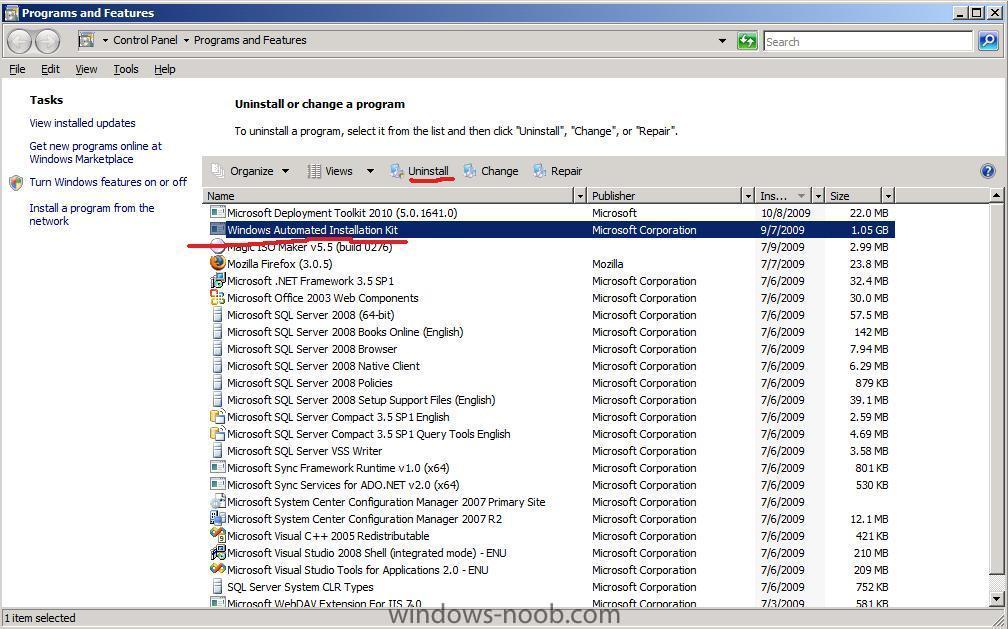
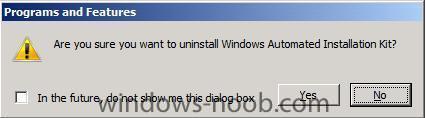
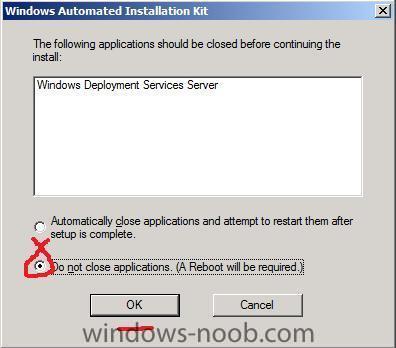
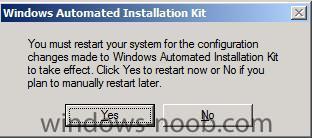
-
Updating SCCM 2007 SP2 RC (or beta) to SP2 Final
anyweb posted a topic in Configuration Manager 2007
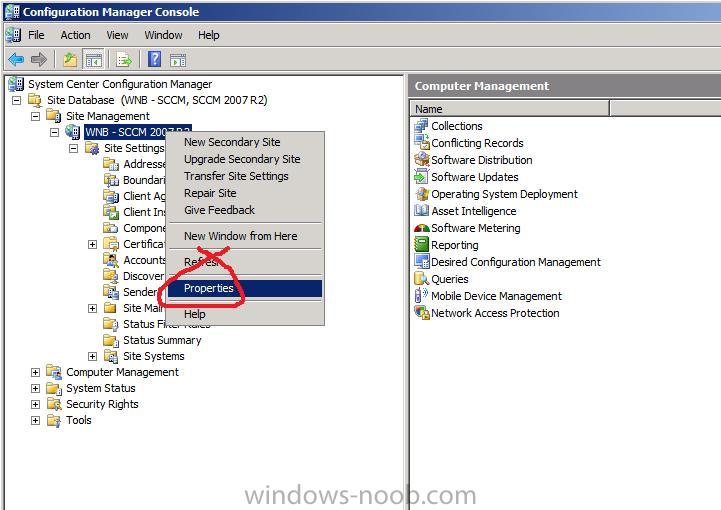
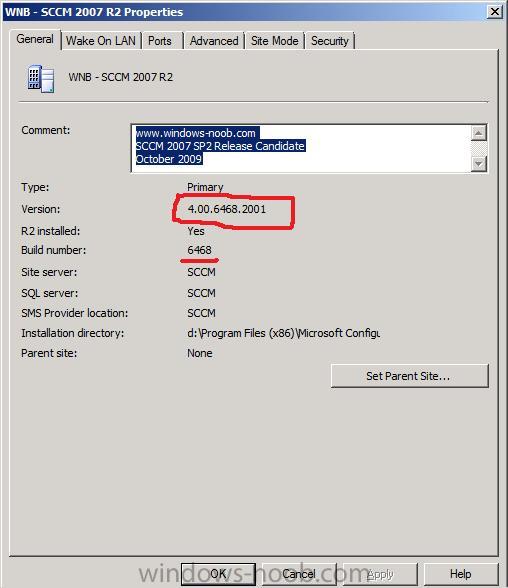
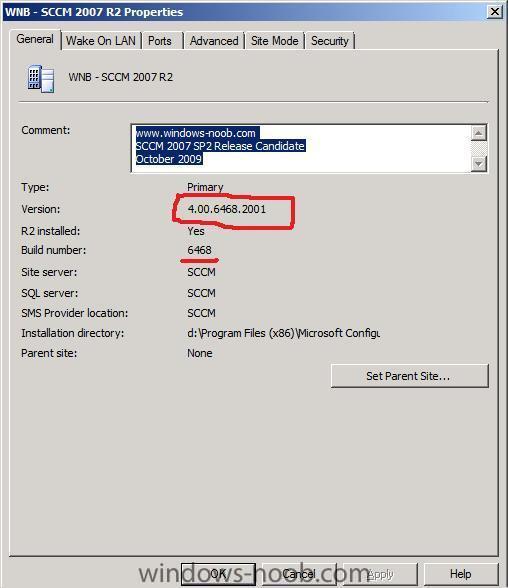
This guide will show you how to upgrade from SCCM 2007 SP2 Release Candidate (or SP2 Beta) to SCCM 2007 SP2 Final, however this scenario is not supported by Microsoft. This guide was performed on a lab server running Windows Server 2008 X64 SP2, SCCM 2007 R2 SP2 release candidate installed. You can use this guide to help you plan your upgrade from SCCM 2007 SP1 to SP2. This guide is provided as is to help you in your LAB environment, if you find any errors please report them in the Forums. For best practice advice always refer to Technet and in particular refer to the Configuration Manager 2007 SP2 Upgrade Checklist Verify your SCCM version Before we get started, let's verify our SCCM version. Right click on your Site Name in ConfigMgr and choose Properties. The version info should read 4.00.6468.2001 for the SP2 release candidate. Close ConfigMgr and open up control panel, add remove programs.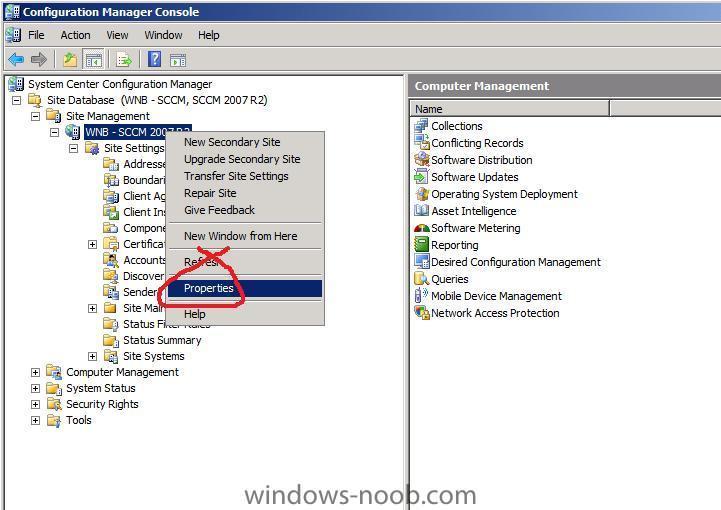
-
problem to deploy software to windows 7
anyweb replied to nizar's question in Deploy software, applications and drivers
did you create a new ConfigMgr client package from definition after installing SP2 ? -
Deploying DCs using MDT 2010
anyweb replied to Kawasaki's question in Zero Touch/ZTI, Lite Touch/LTi
you could script it, as i said before -
what size is the file ?
-
Join domain depending on computername
anyweb replied to ::_Christian_::'s question in Troubleshooting, Tools, Hints and Tips
here's more info about setting the variables